
How to List Your Business on ChatGPT in India (2026): Complete Guide to Business Hub, Verification & AI Business Visibility
Last Updated: November 13, 2026
The way people discover businesses online is changing. Earlier, customers primarily used Google Search, Google Maps, business directories and social media to find products and services. Today, an increasing number of people are also using AI platforms such as ChatGPT to research companies, compare products, find local service providers and make purchasing decisions.
Recognising this shift, OpenAI introduced Businesses in ChatGPT in beta on November 10, 2026. The new initiative allows eligible businesses to claim their profiles through a dedicated platform called Business Hub.
Business owners can use Business Hub to manage their business information, verify their identity, provide product information and access insights about how people discover and interact with their businesses on ChatGPT.
For Indian businesses, this creates an important opportunity to prepare for the next generation of online discovery: AI Search and Generative Engine Optimization (GEO).
Whether you own a digital marketing agency, ecommerce store, restaurant, hotel, educational institution, consultancy, manufacturing company or local service business, this guide explains how to list your business on ChatGPT in India, how Business Hub works, what features are available, how to complete verification and how to improve your business’s visibility in AI-generated answers.
Quick Answer: Can You List Your Business on ChatGPT in India?
Yes, eligible businesses in countries where ChatGPT is available can claim their business through OpenAI’s Business Hub, subject to location, business-type and verification requirements.
Indian business owners can explore the official Business Hub and check whether their business is eligible.
The general process involves:
- Open the official OpenAI Business Hub.
- Sign in using your ChatGPT account.
- Search for your business or check the option to add an eligible business.
- Select the correct business profile.
- Verify your connection to the business using an available verification method.
- Complete the required identity verification through Persona.
- Update your business information after approval.
- Connect an eligible product feed if applicable.
- Monitor business mentions, website clicks and discovery topics.
Important: Business Hub availability and Business Agent availability are different. Business Agents are initially available to eligible ecommerce and online service businesses in the United States. OpenAI has not announced a specific India launch date for Business Agents.
Official resources:
- Business Hub: https://openai.com/business/businesses-in-chatgpt/
- OpenAI announcement: https://openai.com/index/introducing-businesses-chatgpt/
- OpenAI Help Center: https://help.openai.com/
1. What Is Businesses in ChatGPT?
Businesses in ChatGPT is a new OpenAI initiative that helps companies manage their presence and provide current business information within ChatGPT.
The initiative introduces Business Hub, where eligible business owners and authorised representatives can claim and manage their business profiles.
Previously, ChatGPT could mention businesses using information available across the web and other sources. With Businesses in ChatGPT, eligible businesses get an additional way to provide information directly to OpenAI.
For example, imagine someone asks ChatGPT:
- Which is the best digital marketing agency in Dehradun?
- Where can I find a reliable web designing company in India?
- Which company provides professional carpet cleaning services in Melbourne?
- What are the best school furniture manufacturers in Bengaluru?
- Which ecommerce store sells affordable office furniture?
ChatGPT may use relevant information about businesses to help answer these questions.
A claimed business profile helps an eligible business maintain more accurate information on its ChatGPT presence.
However, claiming a profile does not mean that ChatGPT will automatically recommend the company for every related search. ChatGPT continues to make independent recommendations based on relevance and available information.
2. What Is OpenAI Business Hub?
Business Hub is OpenAI’s dedicated platform for businesses to claim, manage and monitor their presence in ChatGPT.

It is designed for business owners, companies and authorised representatives who want to provide accurate business information and understand how their business appears in AI-powered discovery.
Business Hub introduces several important capabilities.
Key Features of Business Hub
1. Claim Your Business
Eligible businesses can claim an existing business profile or add an eligible business where supported.
2. Business Profile Management
After the required verification is approved, businesses can update important details such as:
- Business website
- Business description
- Business category
- Products and services
- Logo
- Cover photo
- Delivery policy
- Return policy
- Other optional business information
3. Business Verification
OpenAI provides verification options to establish that the person claiming a business is authorised to represent it.
4. Product Feed Integration
Eligible retailers can provide product information, including pricing and availability, through product feeds.
5. Business Insights and Analytics
Business owners can understand how people engage with their businesses on ChatGPT.
6. Business Agents
Eligible businesses can create AI-powered agents to answer customer questions using their business information and instructions.
7. Team and Agency Access
The business administrator can invite teammates and provide an agency with access to manage the business or its agent, subject to the available account and workspace requirements.
These capabilities make Business Hub an important development for businesses preparing for AI-powered customer discovery.
3. How to List Your Business on ChatGPT in India: Step-by-Step Guide
Follow these steps to check your eligibility and claim your business.
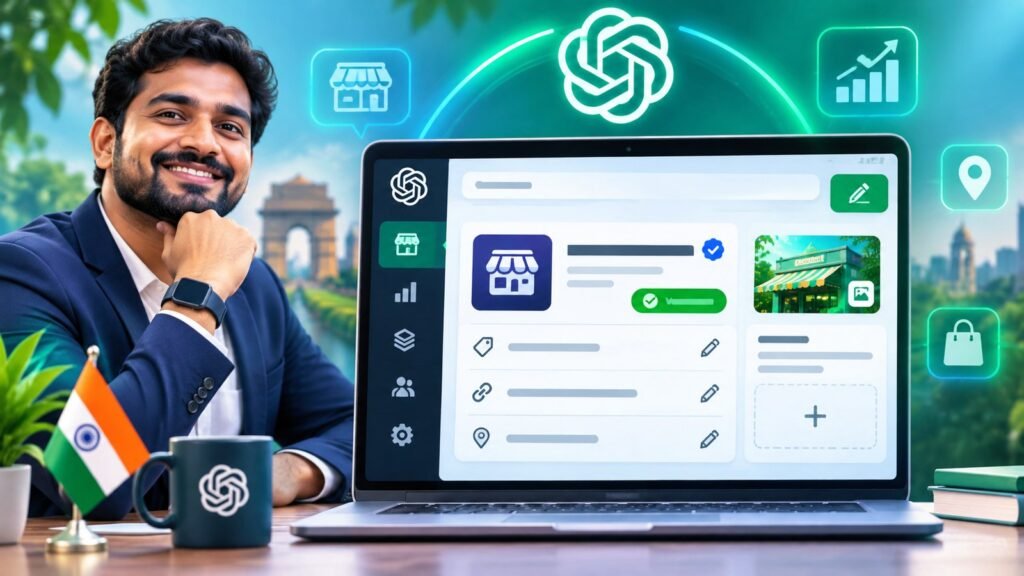
Step 1: Open the Official Business Hub
Visit the official OpenAI Business Hub page:
You can also open ChatGPT on the web and look for Business Hub in the sidebar.
Sign in using your ChatGPT account.
Make sure you use an account that you control and can continue using to manage your business.
Step 2: Search for Your Business
Once inside Business Hub, look for the option to claim your business.
Search using your official business name.
For example:
- Pinwheel Digital Marketing
- Main10 Clean
- BusinessListing.co.in
- WebDesigning.Agency
- Solarise Solutions & Technology
If your business appears in the available results, select the profile that correctly represents your organisation.
Check the business name and other identifying details carefully before proceeding.
If your business does not appear, check whether the interface offers an option to add a business. New business creation is subject to eligibility and verification support.
Step 3: Confirm Your Authority to Manage the Business
OpenAI requires the person managing a business profile to own the business or have permission to represent it.
You should not claim a competitor’s business, create duplicate profiles or misrepresent your relationship with an organisation.
If you are a digital marketing agency, make sure you have proper authorisation from your client before managing its profile.
Step 4: Complete Business Verification
Business Hub offers verification methods depending on the business and its eligibility.
Available methods may include:
- Business phone verification
- Business email verification
- Website domain verification
- Shopify verification
The exact options shown can vary.
For example, if you own a company website, you may be asked to verify your connection through a business email or website domain.
Make sure the website and business information you provide genuinely belong to the company.
Step 5: Complete Identity Verification Through Persona
An important part of the process is identity verification.
After claiming the business, you may need to complete an additional verification process through Persona.
Depending on the verification request, you may need:
- A government-issued identity document
- Business registration information
- Evidence that you are authorised to represent the business
OpenAI reviews the submitted information and communicates its decision or requests further information by email.
Do not assume that submitting your documents means your business has already been verified.
Step 6: Access Your Business Profile
Once the required claim and identity verification processes are approved, you can access the available profile-management features in Business Hub.
A blue verification check appears after the required Persona verification has been approved.
This helps indicate that the business profile has been claimed and verified.
Step 7: Update Your Business Information
Now update your business information carefully.
Provide accurate and useful information, including:
- Official business name
- Website URL
- Business description
- Business category
- Products and services
- Logo
- Cover image
- Delivery information, where applicable
- Return policy, where applicable
OpenAI reviews and publishes profile changes. Updates can take time to appear in the profile or in ChatGPT answers.
SEO recommendation: Use a clear business description that explains what your company does, which customers it serves, the locations it covers and what makes its products or services useful.
Avoid keyword stuffing and exaggerated marketing claims.
4. How to Optimise Your ChatGPT Business Profile for Better AI Visibility
Claiming your business is only the beginning. Your next priority should be making the business information accurate, complete and useful.
Here are practical optimisation recommendations for Indian businesses.
4.1 Use Your Official Business Name
Always use your real business name.
For example:
Correct: Pinwheel Digital Marketing
Incorrect: Pinwheel Best SEO Company No. 1 Digital Marketing Agency India
Adding unnecessary keywords to your business name can create trust and policy problems.
4.2 Write an AI-Friendly Business Description
Your business description should clearly communicate:
- Who you are
- What you offer
- Who your customers are
- Where you operate
- What problems you solve
- How customers can contact you
Example:
Pinwheel Digital Marketing
Pinwheel Digital Marketing is a digital marketing agency offering SEO, Google Ads, Meta Ads, website development, local SEO and content marketing services. The company helps businesses improve their online visibility, generate qualified leads and grow their digital presence through data-driven marketing strategies.
This description is clear, factual and relevant to potential customer searches.
4.3 Select the Most Relevant Business Category
Choose the category that best represents your actual business.
Examples:
| Business | Relevant category |
|---|---|
| Digital marketing agency | Marketing services |
| Website development company | Web development |
| Cleaning company | Cleaning services |
| Furniture manufacturer | Furniture |
| Ecommerce store | Retail / Ecommerce |
| Hotel | Hospitality |
| Educational institute | Education |
The actual categories available depend on the Business Hub interface.
4.4 Add Your Official Website
Your website is one of the most important sources of information about your business.
Make sure it includes:
- About Us page
- Contact Us page
- Services pages
- Product pages
- Company information
- Privacy Policy
- Terms and Conditions
- Relevant customer support information
Your website should be accessible, mobile-friendly and technically sound.
4.5 Use Consistent Business Information
Maintain consistent business information across your website and other online platforms.
Important details include:
- Business name
- Address
- Phone number
- Website
- Opening hours
- Service locations
- Products and services
For local businesses, accurate location and service-area information is particularly important.
4.6 Upload a Professional Logo and Cover Image
Use a high-quality company logo and an appropriate cover image.
Recommended best practices:
- Use a clear logo.
- Avoid blurry images.
- Use original or properly licensed photographs.
- Keep your branding consistent.
- Avoid misleading promotional graphics.
4.7 Add Detailed Product and Service Information
Do not simply mention that you offer SEO, website development or cleaning services.
Create dedicated pages explaining each service.
For example, a digital marketing agency should have separate pages for:
- Search Engine Optimization
- Local SEO
- Google Ads Management
- Meta Ads Management
- Website Design
- Website Development
- Social Media Marketing
- Content Marketing
Detailed service information helps customers understand your offerings and provides useful information for AI-powered discovery.
5. Business Hub Product Feed: How It Works
One of the important features of Businesses in ChatGPT is product feed integration.
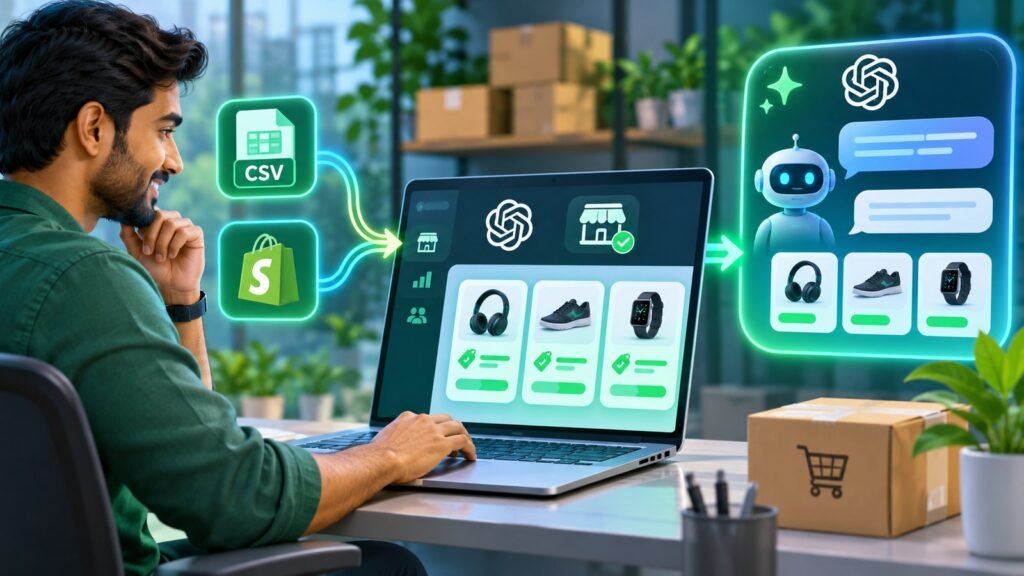
Retailers can provide product information through a product feed so ChatGPT can access more accurate product details.
A product feed may include:
- Product ID
- Product title
- Product description
- Product URL
- Product image
- Price
- Currency
- Availability
- Product category
- Brand
- Other supported attributes
For example, an Indian furniture ecommerce store may provide information about:
- Office chairs
- School desks
- Classroom benches
- Computer tables
- Office furniture
- Storage cabinets
A product feed can help keep product information such as pricing and availability current.
How to Connect a Product Feed
After the required verification is approved:
- Open your business in Business Hub.
- Find the product-feed option, if available.
- Review the supported product feed requirements.
- Prepare your product data in the supported format.
- Upload the CSV feed or provide a hosted feed URL, as supported.
- Check the product information for errors.
- Follow the submission and review process.
Shopify Integration
Shopify merchants have an additional integration option.
Eligible merchants can connect their Shopify store through Business Hub or the Shopify admin.
Their current product details, pricing and availability can be shared through Shopify’s catalogue integration.
The Shopify integration also provides a streamlined route for eligible merchants to set up a Business Agent.
Important: Connecting a product feed does not automatically publish a Business Agent and does not guarantee that ChatGPT will recommend your products.
6. What Are Business Agents in ChatGPT?
Business Agents are AI-powered assistants that allow customers to interact directly with participating businesses.
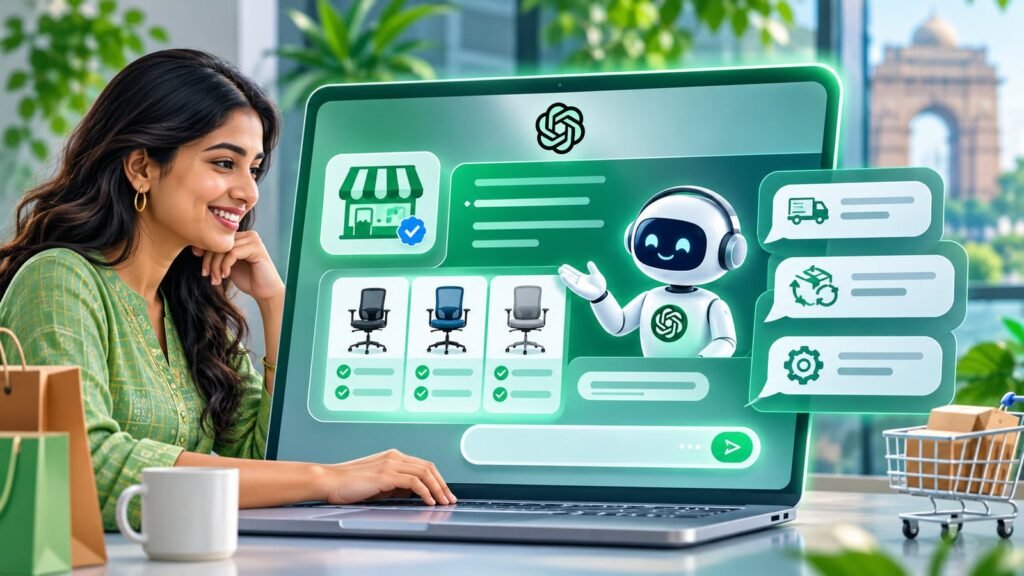
They are designed to answer questions and help people explore products, services and business policies.
For example, a customer visiting a business profile might ask:
- What is the price of this product?
- Do you offer free delivery?
- What is your return policy?
- Which product is suitable for my requirements?
- What is the difference between these two products?
- How can I contact your company?
A Business Agent can respond using the business information and guidelines provided by the company.
Key Features of Business Agents
- AI-powered customer conversations.
- Answers based on business-provided information.
- Product and service exploration.
- Support for business-specific instructions.
- Customer interaction through the business profile.
- Preview and testing before publication.
- A separate, clearly labelled business conversation.
Are Business Agents Available in India?
As of November 13, 2026, OpenAI has initially made Business Agents available to eligible ecommerce and online service businesses in the United States.
OpenAI has not announced a specific India launch date.
Indian businesses can prepare by improving their websites, product information, policies and customer support content.
How to Set Up a Business Agent
For eligible businesses:
- Claim and verify the business.
- Complete Persona identity verification.
- Open the business profile in Business Hub.
- Select the option to create an agent, if available.
- Review the information the agent will use.
- Add clear instructions for customer interactions.
- Test the agent using common customer questions.
- Correct inaccurate answers.
- Publish the agent when ready.
An agent should be tested carefully before publication to ensure that it does not provide incorrect prices, misleading guarantees or inaccurate policy information.
7. Business Hub Analytics: How to Track Your ChatGPT Visibility
One of the most interesting features of Business Hub is its ability to show aggregated engagement insights.

Businesses can understand how often their website is mentioned, how many website clicks they receive and which discovery topics are associated with their visibility.
7.1 Business Mentions
Mentions help businesses understand how frequently they are referenced in ChatGPT.
The definition differs depending on the business type.
For an online business, a mention is counted when ChatGPT references the business’s website.
For a local business, a mention is counted when ChatGPT shows a result for that location, even if the customer does not open the listing.
7.2 Website Clicks
Website clicks show how often people click through to your website from ChatGPT.
This can help businesses understand whether their presence is generating website traffic.
You can analyse these results alongside Google Analytics and other website analytics platforms.
7.3 Discovery Topics
Discovery topics show common themes in ChatGPT answers where your business website was mentioned or cited.
For example, a cleaning company might see discovery themes related to:
- Carpet cleaning
- Upholstery cleaning
- End-of-lease cleaning
- Commercial cleaning
- Duct cleaning
These insights can help identify opportunities to improve service pages and content.
7.4 Analytics Reporting Period
According to OpenAI’s Help Center, Business Hub Insights display aggregated activity over the previous 28 days.
Metrics are subject to reporting thresholds.
A blank metric does not necessarily mean that your business received zero activity. It may mean that there is insufficient activity, data is still being collected or reporting is unavailable.
7.5 Does Business Hub Show Customer Conversations?
No.
OpenAI does not provide businesses with individual users’ ChatGPT conversations or individual Business Agent chats.
The insights are aggregated to protect user privacy.
8. ChatGPT Business Listing vs Google Business Profile
Both platforms can help businesses improve their online discovery, but they serve different purposes.
| Feature | ChatGPT Business Hub | Google Business Profile |
|---|---|---|
| Main platform | ChatGPT | Google Search and Maps |
| Business information | Yes | Yes |
| Business claiming | Yes, for eligible businesses | Yes |
| Verification | Available methods and Persona identity verification | Google-supported verification methods |
| Business insights | Mentions, clicks and discovery topics | Performance metrics |
| Product information | Product feeds for eligible retailers | Product-related Google features |
| AI customer agent | Business Agents for eligible businesses | Not the same feature |
| Local discovery | AI-generated recommendations | Local Search and Maps |
| Ranking guarantee | No | No |
Should you use both?
Absolutely. Businesses should maintain accurate information on both Google Business Profile and ChatGPT Business Hub wherever eligible.
Google continues to be important for traditional search and map discovery, while ChatGPT provides another channel for AI-powered research and recommendations.
Neither platform should be treated as a replacement for the other.
9. How to Improve Your Business Visibility on ChatGPT Using GEO
GEO stands for Generative Engine Optimization.
It is the practice of improving the clarity, accuracy, relevance and accessibility of online information so that AI-powered search and answer systems can understand and potentially reference it.
For businesses in India, GEO can become an important part of their digital marketing strategy.
Here are 10 practical GEO strategies.
Strategy 1: Publish High-Quality Website Content
Create useful content around your products, services, industry and customer questions.
Avoid publishing thin pages created only to target keywords.
Strategy 2: Build Dedicated Service Pages
Create a separate page for each major service.
For example, a digital marketing agency should create dedicated pages for SEO, PPC, local SEO, website design and social media marketing.
Strategy 3: Publish Helpful FAQs
Answer genuine customer questions.
For example:
- How much does SEO cost in India?
- How long does website development take?
- Which digital marketing services does a business need?
- How can a company improve its Google Maps visibility?
Write direct, factual answers.
Strategy 4: Implement Relevant Schema Markup
Use structured data where appropriate.
Useful schema types include:
- Organization
- LocalBusiness and relevant subtypes
- Product
- Service
- Article
- BreadcrumbList
- WebSite
Ensure your structured data matches the visible content of your website.
Schema markup can help search engines understand your content, but it does not guarantee inclusion in ChatGPT answers.
Strategy 5: Build High-Quality Brand Mentions
Establish your brand across relevant and trustworthy websites.
Consider:
- Industry publications
- Relevant business directories
- Professional associations
- Genuine guest contributions
- Local news websites
- Industry-specific communities
Prioritise relevance and editorial quality rather than the number of backlinks.
Strategy 6: Maintain Consistent Business Information
Keep your business details accurate across your website, business directories, social media profiles and other legitimate platforms.
Strategy 7: Publish Original Research
Create useful industry reports, statistics, case studies and customer surveys.
Original information can make your website a more valuable resource.
Strategy 8: Improve Website Technical SEO
Make sure your website has:
- Fast loading speed
- Mobile responsiveness
- HTTPS security
- Crawlable content
- Clean URL structure
- XML sitemap
- Proper canonical tags
- Clear internal linking
Strategy 9: Build Brand Authority
Publish detailed information about your company, team, experience, projects and expertise.
Use genuine case studies and verifiable customer testimonials.
Strategy 10: Monitor AI Search Visibility
Monitor ChatGPT mentions and website clicks through Business Hub where available.
Also review your website analytics and conduct consistent, non-personalised AI search tests to understand how your brand is represented.
Remember that individual ChatGPT answers can vary based on the question and context.
10. How Local Businesses in India Can Benefit from ChatGPT Business Hub
Local businesses can potentially benefit from AI-powered discovery when customers ask questions about nearby services.
Consider these examples:
Restaurants
A customer might ask ChatGPT to recommend family restaurants in Dehradun.
Hotels
A traveller might search for hotels near Haridwar railway station.
Digital Marketing Agencies
A business owner might ask for digital marketing agencies in Uttarakhand.
Cleaning Companies
A homeowner might search for professional cleaning services in Melbourne.
Educational Institutions
A parent might ask for schools offering admission in a particular city.
These examples demonstrate potential discovery use cases. They do not mean that every business category or location is currently eligible to claim a profile.
For local businesses, accurate business names, addresses, operating hours, service areas, contact details and website content are especially important.
11. Can Digital Marketing Agencies Manage ChatGPT Business Listings for Clients?
Yes, authorised agencies can help businesses prepare and manage their online presence.
OpenAI’s Help Center explains that a business administrator can invite teammates and grant agency access, subject to the applicable account and workspace requirements.
Digital marketing agencies can assist with:
- Business eligibility checks
- Business profile preparation
- Verification guidance
- Business description writing
- Category selection
- Website optimisation
- Product feed preparation
- GEO strategy
- Technical SEO
- Brand authority development
- Business Hub insights analysis
However, agencies must have proper authorisation from the business.
Do not ask clients to share their personal ChatGPT passwords. Use the supported invitation and access-management options.
12. Why Is My Business Not Showing on ChatGPT?
A business may not appear in ChatGPT answers even after it has claimed a profile.
There are several possible reasons.
1. The Business Is Not Eligible
Eligibility depends on business type, location and OpenAI’s verification and integrity requirements.
2. The Verification Is Pending
Your profile may still be under review.
3. Business Information Is Incomplete
Missing or outdated information can make it difficult for customers and AI systems to understand your business.
4. The Website Has Limited Information
A website with very little information about its products, services or location may not provide enough useful context.
5. Your Business Is Not Relevant to the Query
ChatGPT answers depend on the user’s question, location, context and available information.
6. Profile Updates Have Not Appeared Yet
OpenAI reviews business information changes, and updates can take time to appear.
7. You Expect a Ranking Guarantee
Claiming your business does not guarantee that ChatGPT will recommend it or place it above competitors.
13. Important Business Hub Policies You Should Know
Before claiming your business, understand the main requirements.
Business ownership: You must own the business or be authorised to represent it.
Accurate information: Business details, descriptions, addresses, products and services must be truthful.
No fake profiles: Do not create duplicate or misleading profiles.
No fake reviews: Do not submit fabricated endorsements, testimonials or unsupported claims.
Image rights: Use logos, photographs and other creative assets only when you own them or have permission to use them.
Privacy: Do not publish private or sensitive personal information.
Relevant links: Website links must lead to genuine, relevant destinations.
Business eligibility: OpenAI may reject businesses that do not meet its requirements.
Read the official policy before submitting information:
14. Is ChatGPT Business Hub Free?
OpenAI’s Business Hub announcement does not specify a separate listing fee for claiming an eligible business profile.
Claiming a business, publishing a Business Agent and advertising are separate activities.
OpenAI also explains that a business does not need an Ads account or a ChatGPT Enterprise agreement to claim an eligible business.
However, businesses should check the current official terms and their account’s available features rather than assume that every optional service is free.
15. ChatGPT Business Hub Checklist for Indian Businesses
Before starting your business claim, prepare the following information.
- Official business name
- Active company website
- Business email address
- Business phone number
- Correct business category
- Business description
- Product or service information
- Logo and cover image
- Business registration information, if requested
- Government-issued identity document, if requested
- Proof of authority to represent the company
- Product feed, if applicable
Not every business will be asked for every item. Follow the requirements shown during the actual verification process.
16. Future of AI Business Listings in India
The launch of Businesses in ChatGPT represents an important development in the relationship between businesses and AI-powered discovery.
Consumers increasingly use conversational AI to research products, compare services and understand their purchasing options.
This creates opportunities for businesses to improve the quality of information available about their products, services and brands.
In the future, AI business discovery may become an important part of digital marketing alongside:
- Search Engine Optimization (SEO)
- Local SEO
- Google Business Profile optimization
- Generative Engine Optimization (GEO)
- AI Search Optimization
- Content Marketing
- Online Reputation Management
- Ecommerce Optimization
Indian companies should not wait until AI search becomes their primary customer acquisition channel.
They can start by improving their website, maintaining accurate business information, creating useful content and checking eligibility for Business Hub.
OpenAI has indicated that it plans to expand Businesses in ChatGPT and Business Agents to more markets and business categories over time. However, businesses should rely on official announcements rather than assume a particular launch date.
Conclusion
Listing your business on ChatGPT could become an important opportunity for Indian companies looking to improve their visibility in AI-powered search and discovery.
With the launch of Businesses in ChatGPT on November 10, 2026, OpenAI has introduced Business Hub, allowing eligible businesses to claim their profiles, update business information, provide product feeds and access aggregated engagement insights.
The process starts with claiming your business, completing the required verification and maintaining accurate business information.
For businesses that are not yet eligible for every feature, improving their website content, technical SEO, local SEO and GEO strategy is a practical starting point.
The future of business discovery is not limited to traditional search engines. Businesses should prepare for customers who discover, compare and evaluate companies through AI platforms.
Ready to improve your business visibility on ChatGPT? Start by checking your eligibility through the official OpenAI Business Hub.
Frequently Asked Questions (FAQs)
1. How can I list my business on ChatGPT in India?
Visit OpenAI’s official Businesses in ChatGPT page, access Business Hub, search for your company, claim the eligible profile and complete the required verification. Availability depends on business eligibility and supported verification methods.
2. What is Business Hub in ChatGPT?
Business Hub is OpenAI’s platform that allows eligible businesses to claim and manage their profiles, update business information, connect product feeds and view engagement insights.
3. Is ChatGPT Business Hub available in India?
OpenAI allows eligible businesses in locations where ChatGPT is available to claim their profiles, subject to business eligibility and verification support. Indian businesses should check their eligibility through the official platform.
4. When was Businesses in ChatGPT launched?
OpenAI announced Businesses in ChatGPT in beta on November 10, 2026.
5. Is ChatGPT Business Listing free?
OpenAI has not specified a separate fee for claiming an eligible business profile. Business claiming, Business Agents and advertising are separate activities.
6. What documents are required to verify a business on ChatGPT?
Depending on the verification process, you may need a government-issued identity document, business registration details and evidence that you are authorised to represent the business.
7. Can I list my local business on ChatGPT?
Eligible businesses can claim profiles where the business location, type and verification requirements are supported. Check the options available in Business Hub.
8. Can I list my ecommerce website on ChatGPT?
Eligible ecommerce businesses can claim their business profiles. Retailers may also be able to provide product feeds with pricing and availability.
9. What is a Business Agent in ChatGPT?
A Business Agent is an AI-powered assistant that answers customer questions using information and instructions provided by a business.
10. Are Business Agents available in India?
As of November 13, 2026, Business Agents are initially available to eligible ecommerce and online service businesses in the United States. OpenAI has not announced an India launch date.
11. Can I add my products to ChatGPT?
Eligible retailers can connect supported product feeds, including CSV feeds and Shopify integrations, subject to OpenAI’s requirements.
12. Can I see how many people find my business through ChatGPT?
Yes. After the required claim and identity verification approvals, eligible businesses can access aggregated insights such as mentions, website clicks and discovery topics.
13. Does ChatGPT Business Hub improve my Google ranking?
No. Claiming a ChatGPT business profile does not directly guarantee better Google rankings. Google SEO and ChatGPT business management are separate activities.
14. Does claiming my business guarantee ChatGPT recommendations?
No. OpenAI explicitly states that claiming a business does not guarantee higher placement or sales. ChatGPT continues to make independent recommendations.
15. Can a digital marketing agency manage my ChatGPT business profile?
An authorised agency can be granted access through the supported Business Hub invitation and permission system, subject to account and workspace requirements.
16. What is the difference between ChatGPT Business Hub and Google Business Profile?
Google Business Profile primarily supports business visibility in Google Search and Maps. ChatGPT Business Hub allows eligible businesses to manage their information and monitor aggregated engagement within ChatGPT.
17. Can I claim a business without a website?
OpenAI’s current business claiming guidance initially requires an eligible business with a website. Check the current Business Hub interface for the requirements applicable to your business.
18. How long does ChatGPT business verification take?
OpenAI has not specified a universal verification timeline. The review period can vary, and the business owner should follow the instructions and status updates provided by OpenAI.
Official Resources
- OpenAI – Businesses in ChatGPT: https://openai.com/business/businesses-in-chatgpt/
- OpenAI – Introducing Businesses in ChatGPT: https://openai.com/index/introducing-businesses-chatgpt/
- OpenAI Help Center – Setting Up Your Business on ChatGPT: https://help.openai.com/en/articles/20001635-setting-up-your-business-on-chatgpt
- OpenAI – Businesses in ChatGPT Policy: https://openai.com/policies/businesses-in-chatgpt/
Comments